
Collaterals
The finished formats — one-pagers, deck slides, banners, social and out-of-home. What each is for, the canvas and layout rule that govern it, where the source file lives, and the command that makes the next one.
Seven formats, one artboard
Everything Cue ships as a finished asset is one of these. Each has a fixed canvas, a written layout rule and at least one real file behind it — nothing on this page is a mock-up of something that does not exist yet.
| Format | Canvas | Ships as | Rule |
|---|---|---|---|
| One-pager | 8.50 × 10.98 in · 2 pages | PDF, PPTX and a self-contained HTML bundle | one_pagers/LAYOUT_PATTERN.md |
| Deck slide | 16:9 · 1920 × 1080 (authored 1280 × 720) | Twelve HTML archetypes on one stylesheet + a 19-slide pattern library | templates/slides/ · css/slides.css |
| Web banner | 1872 × 562 · 1982 × 500 | Two finished PNG composites | readme.md §4 — logo and font rules |
| Launch banner | 1280 × 720 · 1080 × 1080 | Two finished PNG composites | guidelines/foundations/brand-banner.html |
| Word document | 8.50 × 11.00 in · US Letter | A .docx template with a branded cover and a styled body | Fountain - Word Document Template - V2 (Cue Version).docx |
| Social card | near-square, three to a story | A nine-card campaign board (contact sheet only) | assets/brand-guidelines/campaign-social.jpg |
| Out-of-home | portrait shelter · landscape billboard | In-situ mock-up sheets | assets/brand-guidelines/campaign-ooh.jpg |
One-pagers
Fountain’s standard leave-behind is a two-page PDF exported from Google Slides. Page one is the hook, page two is the proof. The same document is kept in three formats so it can be mailed, presented or embedded without a re-layout.
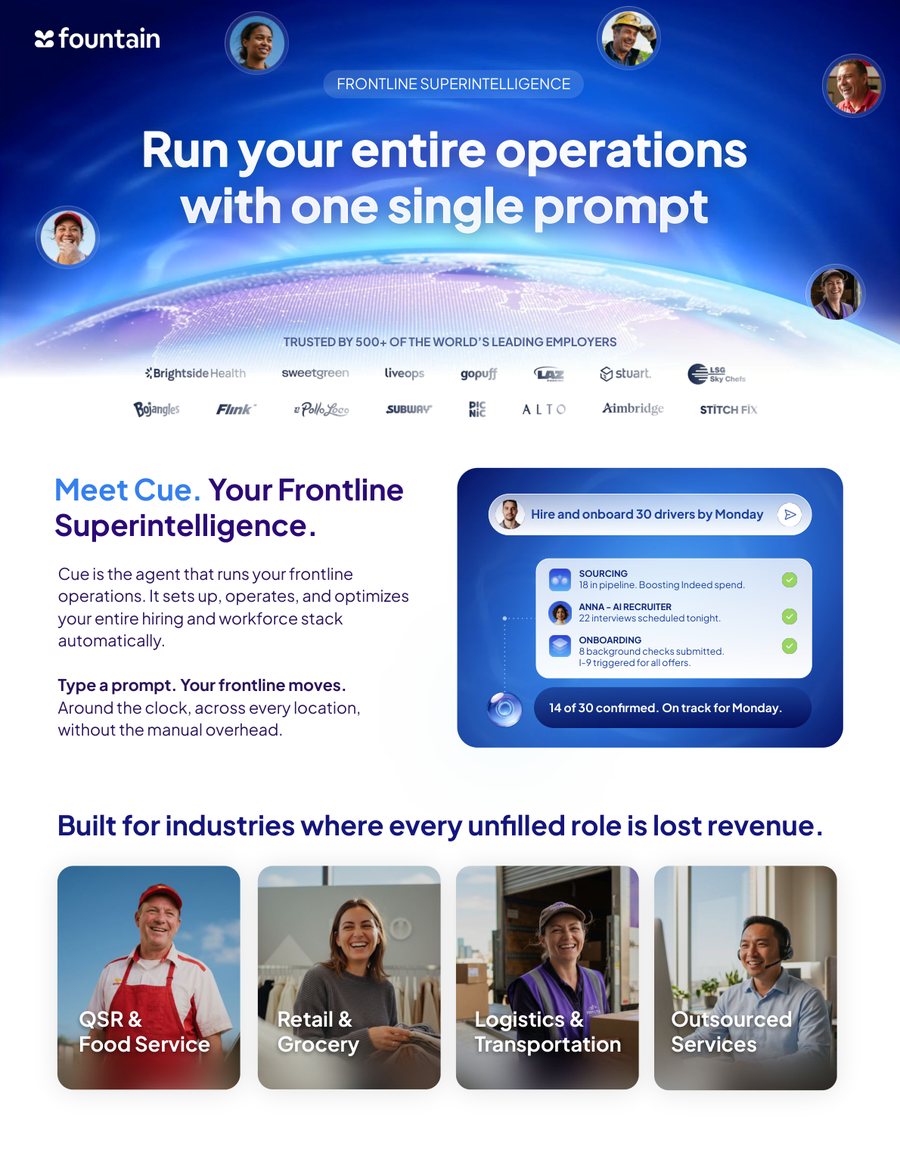
Reading order is header → promise → supporting paragraph → proof. A full-bleed hero band carries the eyebrow, the H1 and the trusted-by logo wall; under it the “Meet Cue” block pairs a 60–80 word paragraph with a live Cue conversation card; a four-up industry row closes the page.
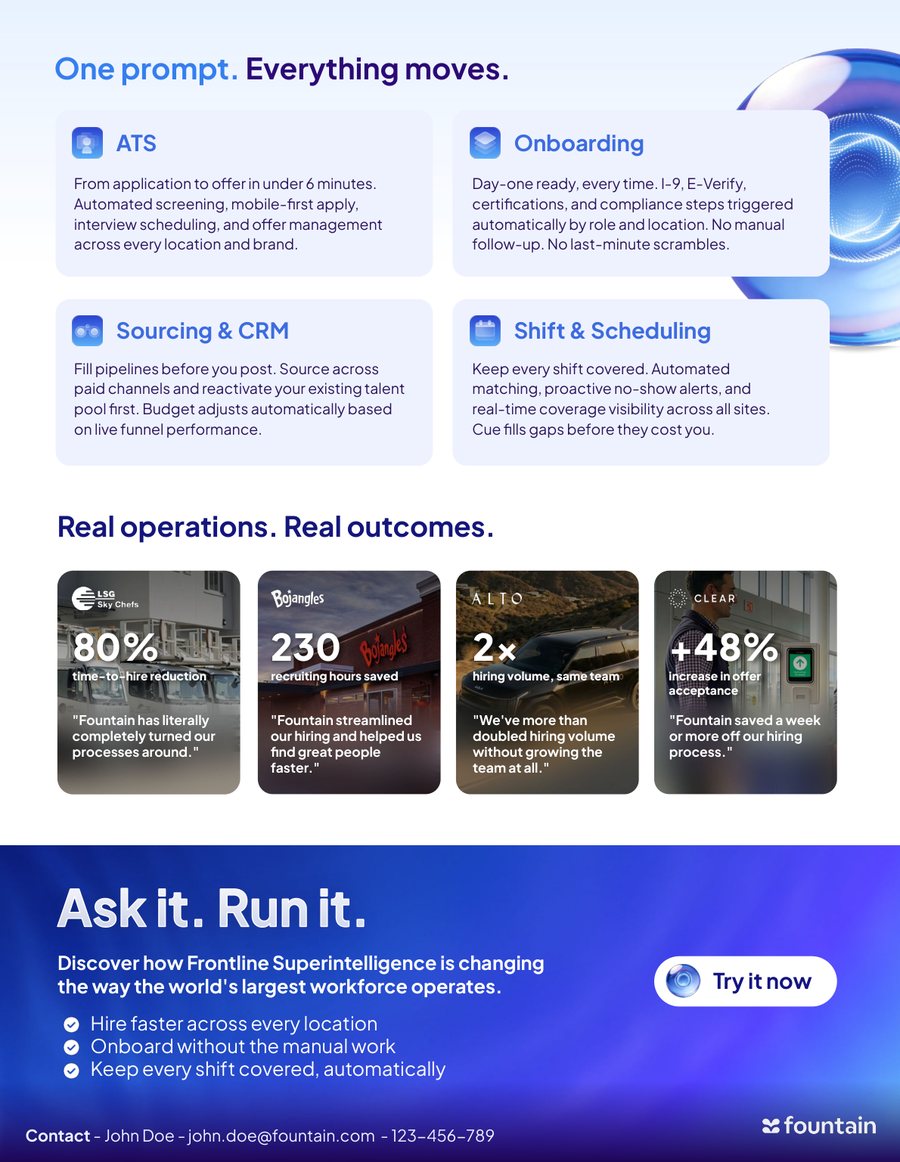
A structured grid of proof points: four suite modules in pale-indigo cards, then four photo metric cards each carrying one number and one customer line, then the “Ask it. Run it.” band with the CTA. The offer module the pattern describes is replaced here by a demo CTA.
The page spec
- Page size
- 8.50 × 10.98 in — Google Slides’ “US Letter” portrait, stored as 7 775 575 × 10 044 100 EMU. Real paper is 8.5 × 11; Slides trims a sliver for safe area. The shipped PPTX carries exactly those EMU values.
- Margin
- ≈ 0.4 in left and right, ≈ 0.2 in top and bottom on content.
- Footer
- The full Fountain logo as a watermark in the bottom-left, ≈ 0.9 in wide, 0.3 in from both edges. No tagline, URL, year or phone strip. A year, if one is needed, goes inside the copy that needs it.
- Logo variant
- Full logo on white or pale-indigo pages; the white variant on deep-blue or photographic pages. Never the icon set beside the word “Fountain” as text.
- Export
- Google Slides → File → Download → PDF document.
- Ships as
Cue - One pager.pdf— 2 pages at 612 × 790 pt
Cue One Pager pptx.pptx— 2 slides, the same EMU page
Cue One Pager html.html— a 16 MB self-unpacking bundle that renders the same two pages as stacked 816px sheets
Three eyebrows, nine rows — the most reusable module in the whole one-pager, and the block worth lifting first.
- Columns
- x = 0.43 / 3.10 / 5.76 in, equal 2.67 in gutters
- Icon
- 0.50 × 0.50 in squircle at column-x
- Rows
- y = 2.07 / 2.75 / 3.43 in, ≈ 0.70 in tall
- Text
- starts at icon-x + 0.62 in, ≈ 1.69 in wide
- Never
- a fourth column — it breaks at US Letter width. Past nine benefits, split across two pages or drop to two columns.
Layout rules
- The header hero photo bleeds to three edges — top, left, right.
- Eyebrow labels are mono caps at ~11pt, letter-spaced +0.08em.
- Three benefit columns is the default, and the maximum.
- Product icons are 0.5 in rounded squircles from the product icon set.
- The results module is always a title, bulleted metrics and a supporting photo on the right.
- The offer module is always a card with a gigantic amount, one line of body and a “see conditions” or “book a demo” CTA.
- Pull-quotes use oversized typographic quote marks, italic body, byline in Medium below.
- The customer logo wall is six logos wide, greyscale, under a “trusted by” eyebrow.
- Old blue → the Cue deep-blue palette
#000452/#2E3FCD/#2F72D6. The header overlay moves to this gradient and the old indigo footer band goes away entirely — the bottom-left watermark replaces it. - Pale-indigo cards
#EEF2FFat 16px radius on white, for the results and benefits modules. - H1 CircularXX Bold 700 at 44–52pt, tracking −0.03em, leading 1.05. H2 promise line 28–32pt Medium.
- Body CircularXX Regular 450 at 11–13pt, leading 1.45. Eyebrows Andale Mono 10pt caps, +0.08em.
- Hero imagery prefers the refresh scene photos and worker portraits, with a slight indigo duotone wash.
- The sphere can replace the right-hand supporting photo on the hook page when you want a pure brand moment instead of a lifestyle shot.
Variant B — the model to emulate
The source template ships two variants; the second reads faster and is the one to copy.
- The header hero is shorter — 2.14 in rather than 2.63 in. More text-first, less photo-first.
- The H1 wraps to three lines with clause breaks for rhythm instead of two.
- The benefits block moves to the bottom of page 1, inside a pale-indigo rounded card at 0.01, 6.78, 8.50 × 4.20 in. The card gives the grid a visual home and anchors the whole page.
- Page 2 opens with the pull-quote as a full-width indigo banner (0, 0, 8.5 × 1.31 in), not with the H1.
- The results trio is numeric-first — “12 → 3”, “+45%”, “8–10 hrs/week” each get their own big-number treatment.
The Cue one-pager in One pager examples/ is a real, finished asset, but
it does not follow LAYOUT_PATTERN.md on three counts. The Fountain logo
sits top-left inside the hero band on page 1 and bottom-right inside the
CTA band on page 2, rather than as a bottom-left watermark on both. The
trusted-by wall is eight logos across two rows, not the six-logo header card.
And page 2 ends with a contact strip — the one thing the pattern explicitly
forbids — which is still carrying placeholder copy
(John Doe · john.doe@fountain.com · 123-456-789).
Treat the pattern as the rule and the PDF as the current artwork; the two need reconciling before the next export.
Deck slides
Twelve archetypes cover the shapes the sales deck actually uses. They
are not twelve documents: each is a bare <section class="slide …">
fragment in templates/slides/, and all twelve share one stylesheet,
css/slides.css, built on the same tokens as every page section. The previews
below are headless renders of those fragments at 1280 × 720, not redrawings.

The cover. Eyebrow, a 128px two-tone headline and the sphere over the deep-blue panel gradient. Also the model for the back cover.
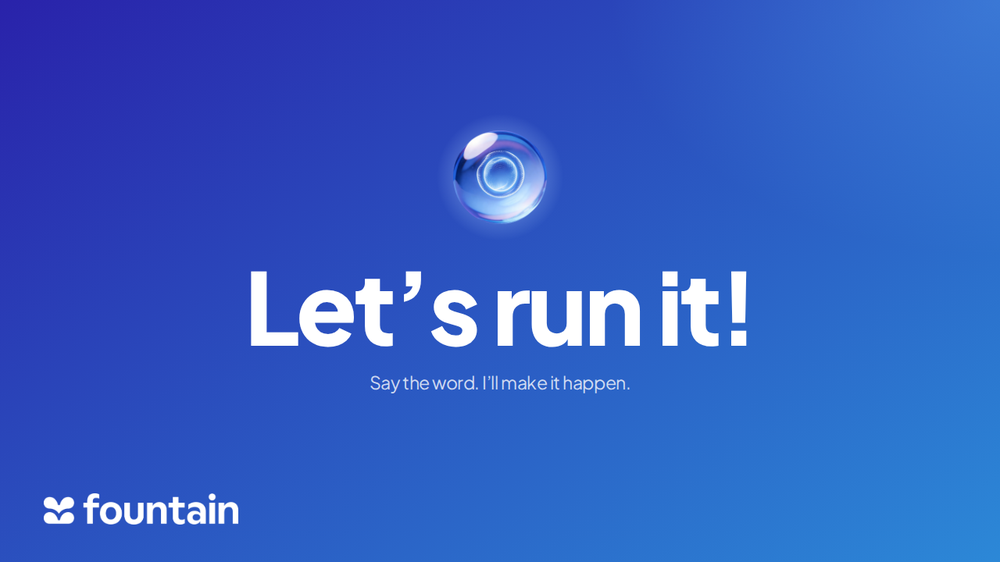
One line on blue. A 120px sphere, the display step and a 23px answer under it. Nothing else on the slide — the tension beat before a section turns.
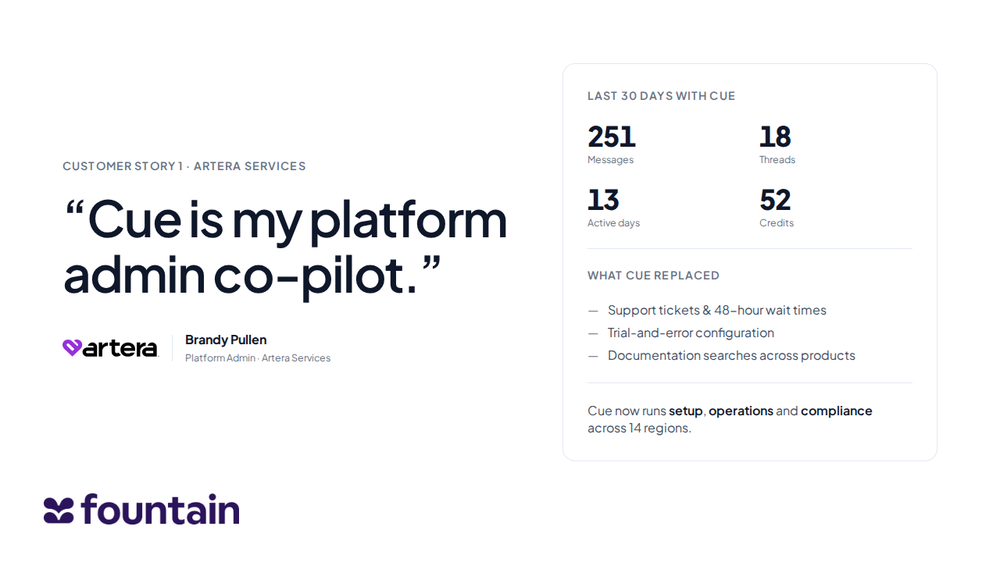
A 1.2fr / 1fr split: a 64px pull-quote and a logo byline on the left, a statline card on the right carrying the counts and what Cue replaced.
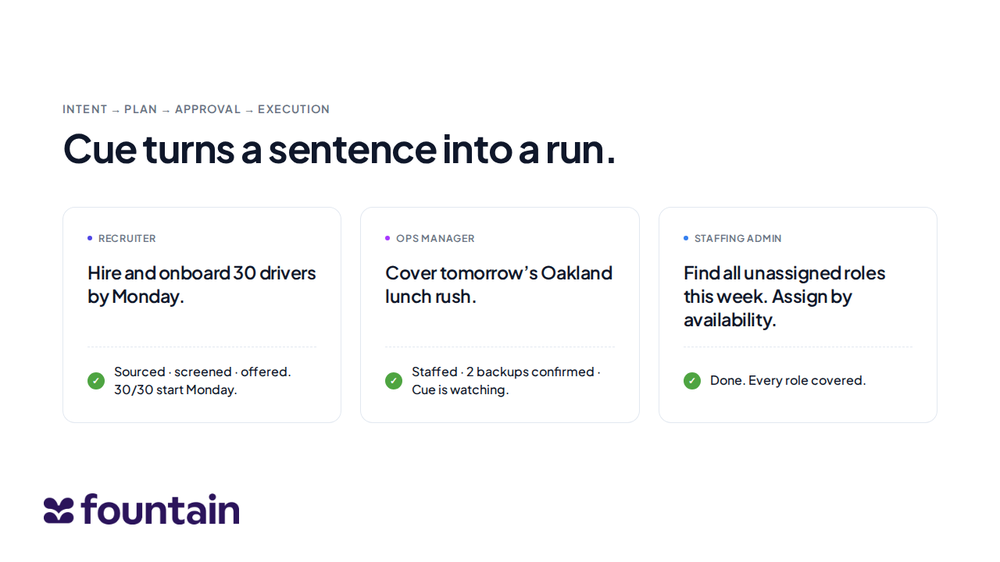
Intent → outcome, three across. Each card is a role dot, the prompt in the lead step, a dashed rule and a green tick with the result.
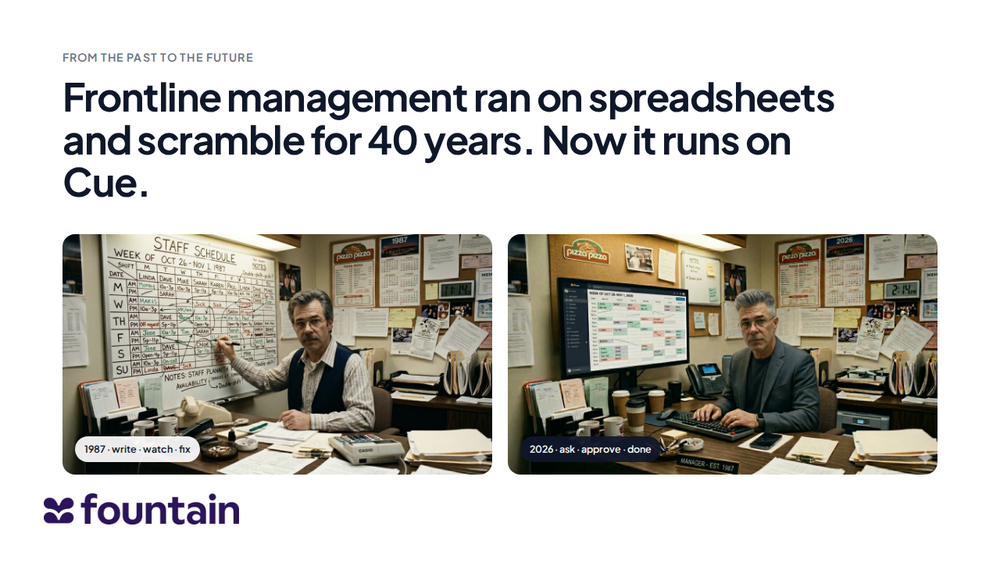
The dual-image frame: 1987 on the left, 2026 on the right, each a figure with a pill caption. The pair now stops at the watermark safe area.
A numbered section marker — an ordinal, a short rule and two words at the display step on a full-bleed ground. The most-used layout in the deck: it recurs five times and had no archetype at all.
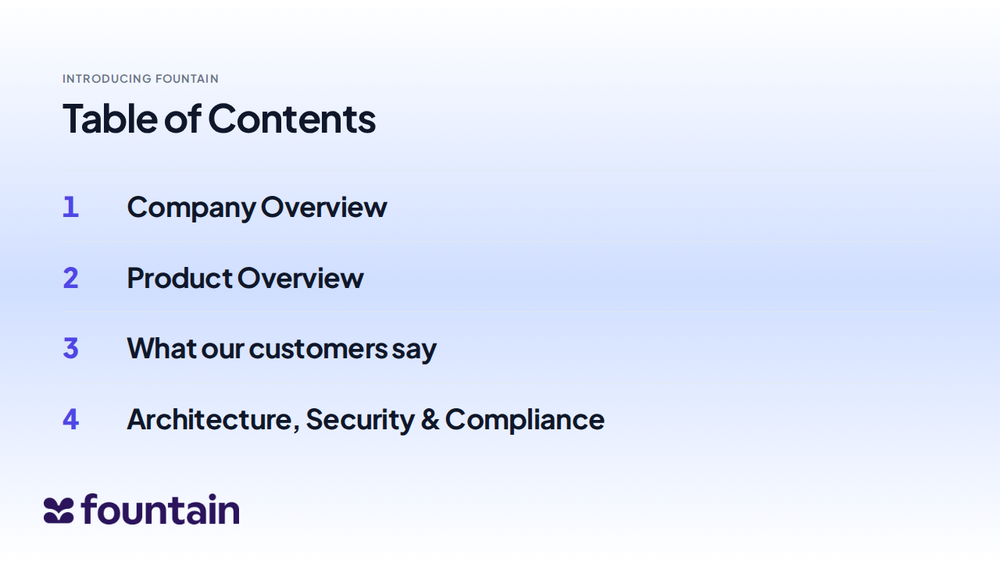
Table of contents. Four numbered rows on hairlines over the sky gradient, the ordinal and the label sharing one type step so the column reads as a list, not a table.
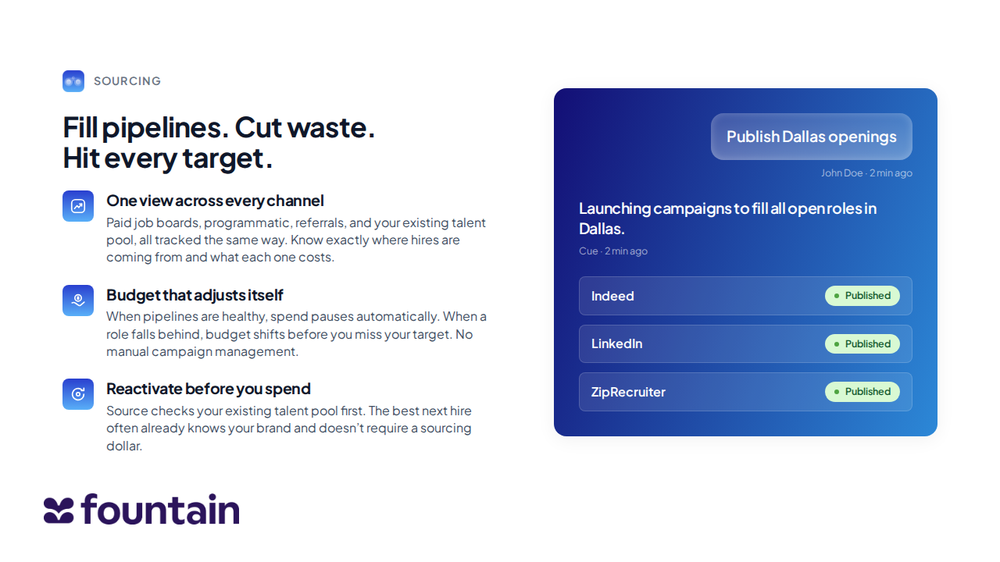
The workhorse — eight slides in the deck use this shape. App icon and eyebrow, a three-line headline, three benefit blocks, and the product visual rebuilt live as a Cue thread rather than pasted in as a screenshot.
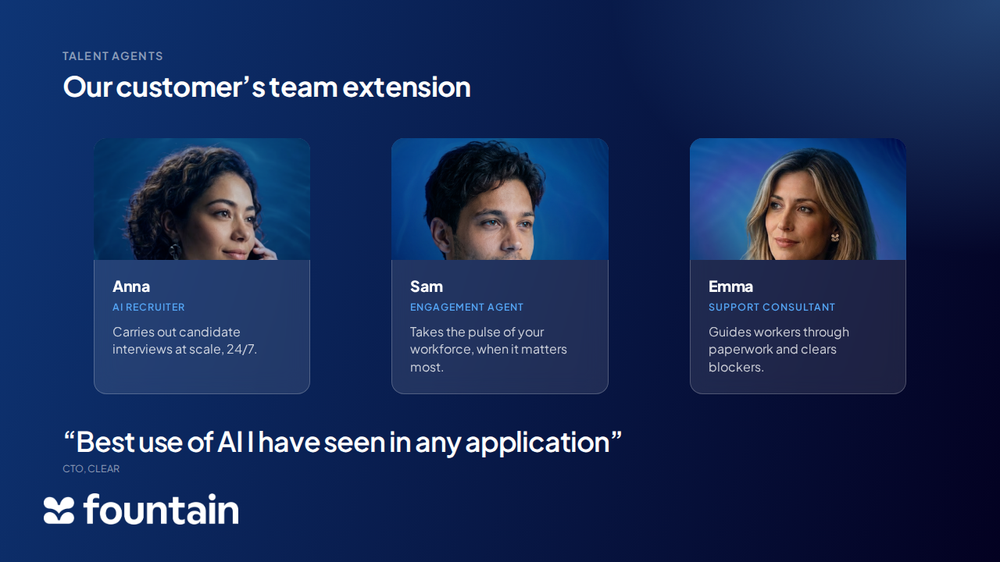
The three talent agents, portrait over a caption block, with the customer pull quote beneath. The portraits are lit on deep blue, so this one only works on a dark ground.
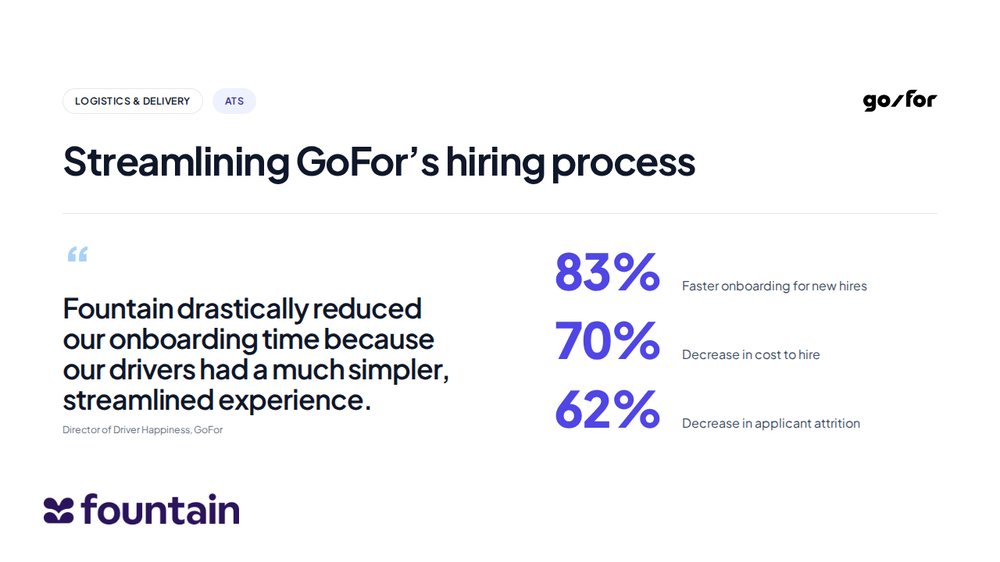
A customer result: industry and product chips, the customer mark, a headline, then the quote and three tabular figures side by side under one rule.
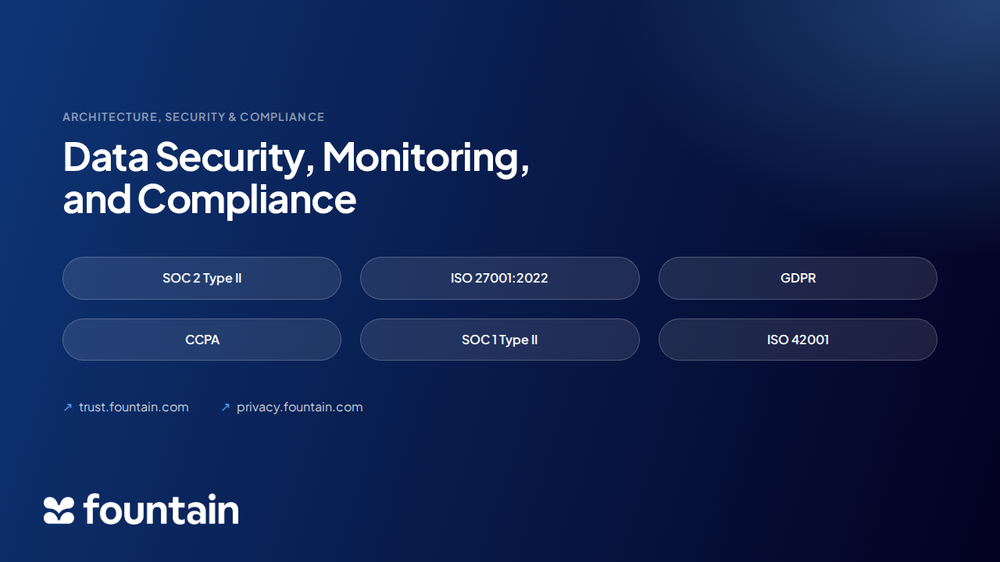
The trust marks as typographic chips, three up and two down, with the two policy URLs beneath. Chips rather than certification badges — the badge artwork is third-party and is not in this system.
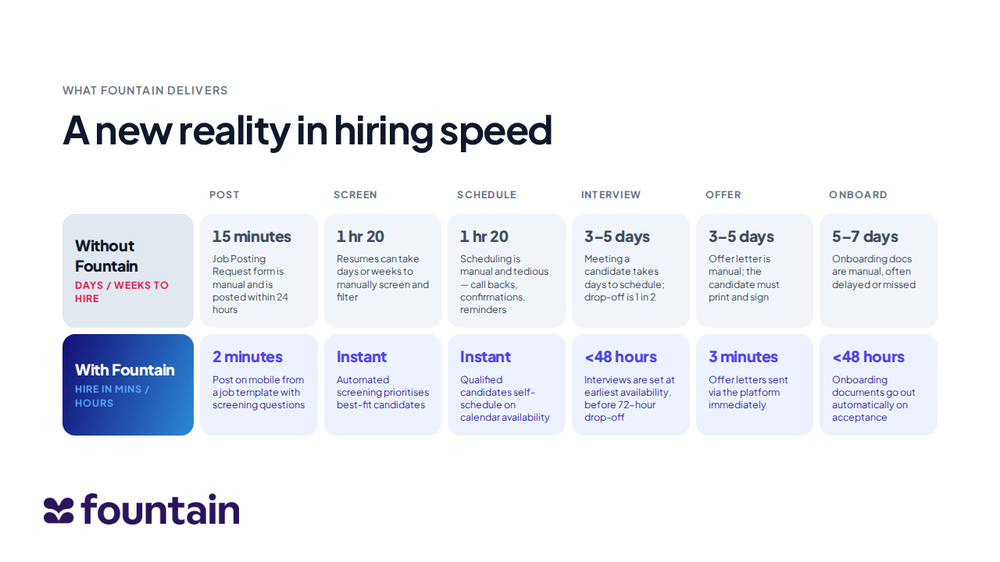
Six stages across, two rows down: the manual timeline against the Fountain one. A real table with row and column headers, never an image — the times are the argument.
One watermark rule
The five slide files this replaces each wrote their own
watermark as an inline style attribute and each pointed at a different
logo file. Two of those files carried transparent padding, so the same
height:40px put the Fountain mark on screen at 40px on three slides and
about 15.6px on the other two. The fix is structural: the geometry lives in a single
rule and the image is supplied by CSS, so an archetype chooses a colour variant and
nothing else.
.slide__watermark {
  position: absolute;
  left:   var(--slide-mark-x);   /* --space-14 · 56px */
  bottom: var(--slide-mark-y);   /* --space-12 · 48px */
  height: var(--slide-mark-h);   /* --space-10 · 40px */
  width: auto; display: block;
}
.slide__watermark--light { content: url('../assets/brand/fountain-wordmark-white.png'); }
.slide__watermark--dark  { content: url('../assets/brand/fountain-wordmark-dark.png');  }
Both source files are trimmed to their ink and normalised to
200px tall at 6.24 : 1, so height alone fixes the mark identically on either ground.
scripts/build-slides.py enforces it on every render: it measures
getBoundingClientRect() on each .slide__watermark, then
renders each slide a second time with the mark hidden and differences the two frames to
get its real painted extent — a padded logo passes the first check and fails the
second. It also fails the build if any element lands inside the mark’s keep-out box.
Across all 12 archetypes both numbers are 40px, spread 0.00px.
Canvas and furniture
- Canvas
- 16:9 at 1920 × 1080. The twelve fragments are authored at
1280 × 720 — the same ratio at 0.667×, so a render scales cleanly either way.
.slidefixes that box; the build fails if a fragment reports any other size. - Watermark
- The Fountain logo, bottom-left of every slide, at
height:40px; left:56px; bottom:48px— white variant on a dark ground, dark-blue on a light one. Never a phone number, address or URL strip beside it; title and back-cover slides use the same position. - Safe area
- Every stage reserves
--slide-safeat the bottom —48 + 40 + 24 = 112px, the mark’s own box plus a space step of air. This is what the old Origin slide was missing, and it is derived from the watermark tokens rather than typed in, so the two cannot drift apart. - Surfaces
- Four, all from gradient tokens:
.slide--light,.slide--dark(--gradient-panel-deep),.slide--immersive(--gradient-immersive) and.slide--sky(--gradient-sky). A dark surface reassigns the ink variables wholesale, so a card or a chip never has to ask which ground it is standing on. - Page numbers
- Bottom-right, on content slides only.
- Type
- Display CircularXX Bold 700, tracking −0.03em, leading 1.05. Body CircularXX Regular 450 at 18–22pt, leading 1.4. Eyebrows Andale Mono 11pt uppercase, +0.08em. Google Slides exports substitute Plus Jakarta Sans.
- Colour
- Deep-blue fill
#000452 → #2F72D6on a dark slide; pale-indigo cards#EEF2FFon a white slide. - The sphere
- Always on cover and section-break slides. Never as a bullet or a micro-icon.
The slide type ramp
The deck canvas is 1280 wide against the library’s 1440
artboard, so the page scale is 1.125× too big for it. Rather than a second set of
hand-picked sizes, every slide step is a page token multiplied by
--slide-scale, which is calc(1280 / 1440). Two of them land
on round numbers by arithmetic, not by choice.
| Step | Derivation | Renders | Used for |
|---|---|---|---|
--slide-display | --h1 × 2 × scale | 128 px | Cover and section-break headlines |
--slide-hero | --h1 × scale | 64 px | Pull quotes and hero figures |
--slide-title | --h2 × scale | 49.8 px | Slide titles |
--slide-subtitle | --h4 × scale | 35.6 px | Module headlines, agenda rows |
--slide-lead-lg | --h5 × scale | 23.1 px | Prompts, answer lines |
--slide-lead | --h6 × scale | 19.6 px | Block leads, stage times, names |
--slide-body | --text-l × scale | 16 px | Paragraphs |
--slide-eyebrow | --text-m × scale | 14.2 px | Eyebrows |
--slide-caption | --text-s × scale | 12.4 px | Captions, notes, roles |
Composition rules
- Section breaks are typographic, not photographic. Big words, tight leading, generous margins.
- Content slides are grids of equal tiles — three-up and four-up patterns outnumber everything else.
- One hero number per slide. When numbers matter they dominate at 72–180pt;
when they don’t, they are absent. Every figure is
font-variant-numeric: tabular-nums. - Steppers and timelines use thin horizontal bars, never fat boxes.
- Quotes use oversized typographic quote marks, not a grey quote card.
- Icons are product squircles from the product icon set, not line icons.
- A comparison is a table, never a picture of one. The before/after archetype
is a real
<table>with row and column headers, so the times stay selectable, tabular and translatable.
The pattern library behind the archetypes
The first five archetypes are rebuilds of the sample slides shipped with the Marketing Design System, which are themselves drawn from a 19-slide sales-deck template. Slides 13–19 of that deck are its reusable layout library; these are the patterns worth inheriting when a new deck needs a slide the twelve archetypes don’t cover.
| Pattern | Layout | Cue application |
|---|---|---|
| Prompt → diagnosis → fix | One enormous prompt in the body copy, three labelled outcome blocks below, then an end-stamp line. | The Ask it / Run it loop. Glass card for the prompt, three numbered result cards underneath. |
| Three prompts | Three vertical columns: role label · prompt in quotes · the old cost. | Shipped as 04-three-prompts. |
| Single customer story | Portrait card with photo, logo and role; a pull-quote; a hard metrics strip. | Shipped as 03-customer-story. |
| Customer proof grid | Three giant numbers, each with a one-line caption. No logos, no decoration. | Shipped as 10-metric-wall, with the quote moved alongside the
numbers so the attribution clears the watermark. |
| Pain stat | A small setup line and three stacked numbers. Very tight typographic composition, one colour. | Vertical stat stack, Bold, indigo numerals on pale indigo. |
| Old model vs. new | Two-column comparison: dashboards / manual / reactive against autonomous / end-to-end / proactive. | The past → future split card at full-slide. Shipped as
05-origin. |
| Pull-quote | Huge opening quotation mark, a two-line italic quote, byline with role. Photo optional, inset right. | Shipped as 02-big-quote; the quote mark is
.slide__quote-mark. |
| Process flow with time savings | Horizontal stepper — Post → Screen → Schedule → Interview → Offer → Onboard — each step with icon, current time, improved time and one line. | Shipped as 12-before-after, as a real two-row table. |
| Phased timeline | Four-column Gantt — Month 1–4 — with stacked task bars and a hypercare bar along the bottom. | Any rollout slide. Rounded-pill bars: indigo active, pale indigo upcoming, deep blue for hypercare. |
| Customer-journey swim lane | Value proposition on the left, four numbered phases with an icon and three lines each on the right. | Consultative sales → implementation → success → expansion. |
| Four-quadrant model | Plan · Design · Test · Deploy — four evenly spaced cards, icon, subtitle and a 4–6 item checklist, equal visual weight. | Implementation model slide. |
| Integration matrix | A 2×2 or four-up of options with a small diagram on each card. High density, low decoration. | Webhook · iFrame · Seamless · Partner Access. |
| Logo wall | A heading and 12–16 customer logos, greyscale, left-aligned grid, evenly sized. | Customer proof, closing a section. |
All five. The inline watermark styles and the two mismatched logo files are
gone; every archetype now takes the shared rule and the normalised wordmarks in
assets/brand/. Their layout CSS was not ported — the markup was rebuilt
on the slide system, so a change to a token or a step reaches all
12 at once.
Origin. The image grid ran to the 72px bottom padding while the watermark sat
at bottom:48px, so the Fountain logo overlapped the 1987 photograph. The
grid now stops at --slide-safe, and the build fails if anything reaches
into that corner again.
Customer story. The byline avatar pointed at
assets/avatars/worker-portrait-blonde.jpg, which is not a portrait — it
is a 2048 × 1308 globe-and-avatars scene that circle-cropped to a blue smear. No
photograph of Brandy Pullen exists in either source system, and putting a stock face
against a named person’s quote would be a fabrication, so the byline is now the
Artera Services logo and a typographic name/role lockup. The statline card gained the
three “what Cue replaced” lines from the same customer story in the sales deck.
Banners & email
Four finished composites cover the banner surface: two wide web banners on the “Cue is here.” line, and the launch banner in 16:9 and square. All four are raster exports, so they are set in CircularXX rather than the web substitute.

Orb bleeding off the left edge, headline and “Try it now” pill stacked on the right. The wider of the two web banners.

Mirror image: headline left, orb right, the pill sitting inside the orb’s glow. The flattest of the set — the one that survives a narrow slot.
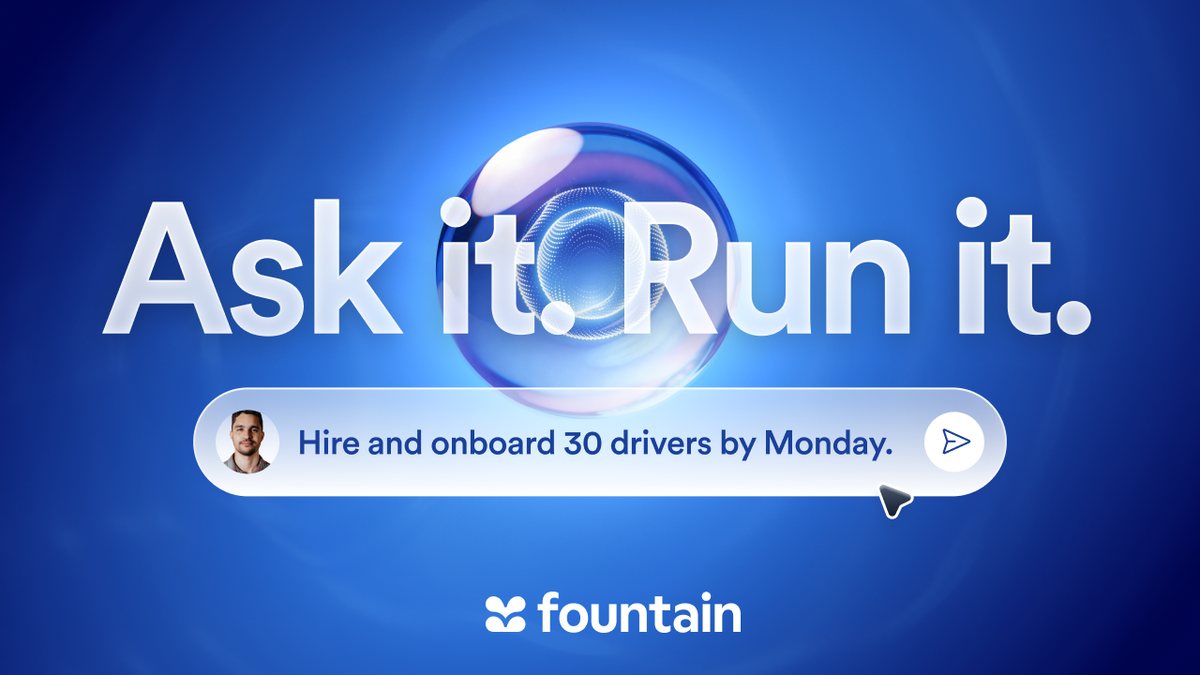
The master visual: sphere, “Ask it. Run it.”, and a real frontline intent sitting in the composer pill with the cursor still on the send button.
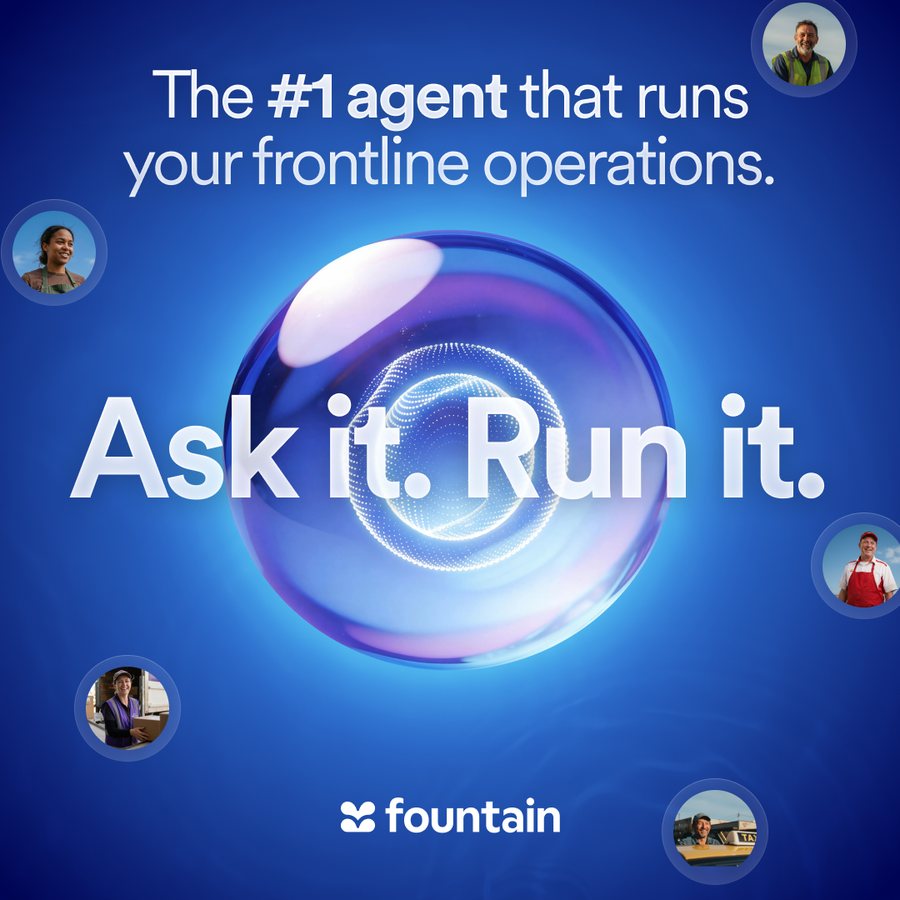
The same composition squared up for a feed, with the positioning line above the orb and six worker capsules ringing the frame.
What governs them
- Copy. “Cue is here.” / “Meet the Frontline Superintelligence.” / “Try it now”. Headlines are sentence case with hard periods — the period is load-bearing, it is the pause.
- The logo. Full Fountain lockup or the icon alone; never the icon set beside the word “Fountain” as text. On the 16:9 and square banners it sits centred at the foot; on the web banners it is absent and the Cue orb carries the brand.
- Type by output. Static raster — banners, social, print — is set in CircularXX. Rasterisation keeps the licence intact.
- Gradient. Blue only. Gradients are used liberally on blue and never on white; never pink→blue, pastel-rainbow, or purple→pink.
- The orb. Always centred in its own field and floating over blue, with its halo intact. It is never cut into a shape or placed on white.
Neither in-house system carries an email or newsletter layout — no HTML email, no header/footer spec, no width rule. The four banners above are the only header-shaped artwork in the library, and the 1872 × 562 and 1982 × 500 crops are what an email header would currently be cut from.
The guideline card guidelines/foundations/brand-banner.html also
describes the launch banner as a 1920 × 1080 hero social banner, but the
file it displays, cue-launch-banner.png, is 1280 × 720. Same
ratio, two-thirds the resolution — worth re-exporting at the documented size
before it goes anywhere large.
Illustration & scene assets
The raw material every format above is built from: two paired scenes, three backgrounds, the worker capsules and the orb. These are ingredients, not finished assets — but the rules about how they may be used are as fixed as the page sizes.
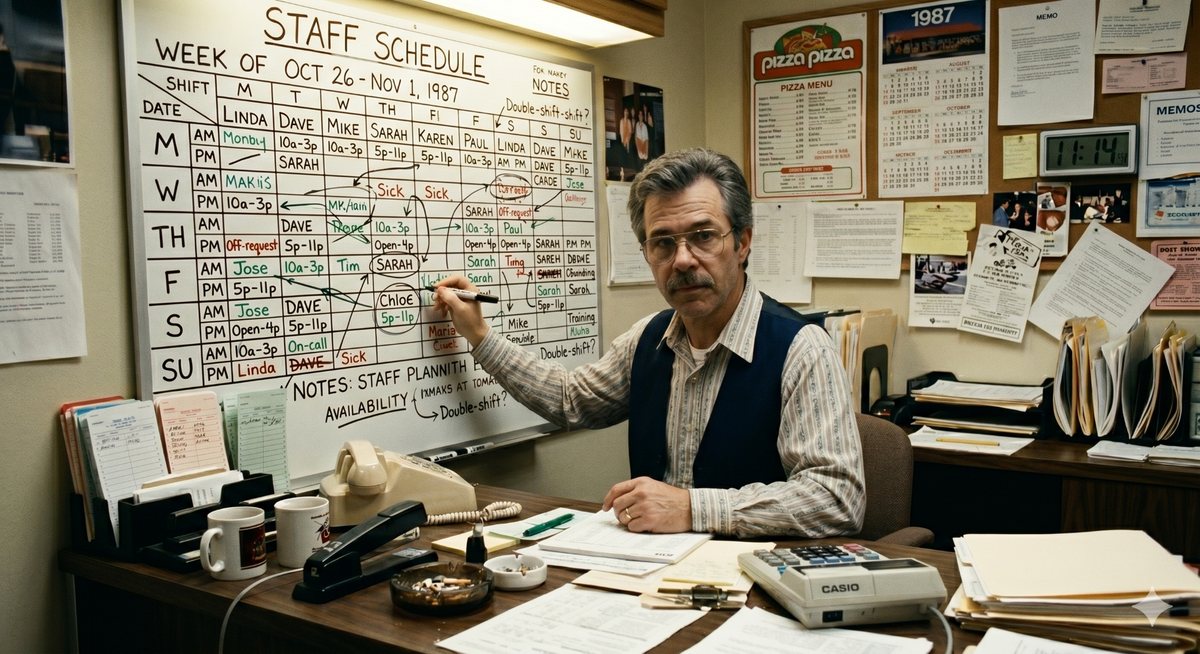
The “before” half of every past → future composition: a whiteboard rota, a wall of paper, a manager with a marker.
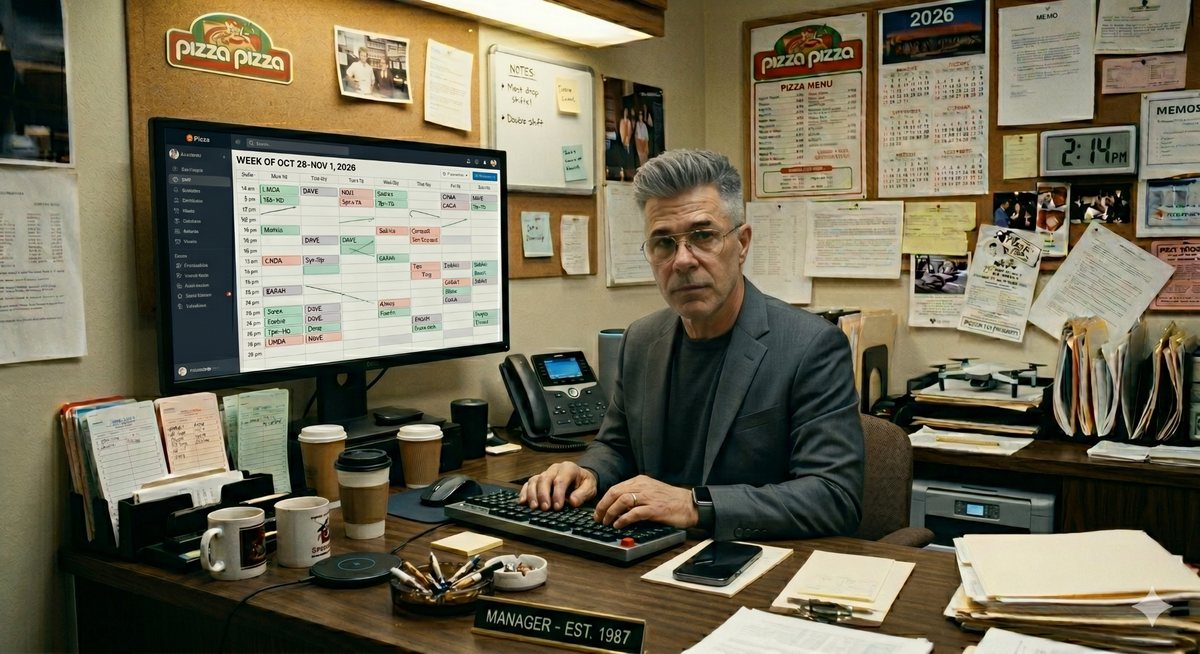
The “after” half, shot in the same room from the same angle so the pair can sit side by side in one frame.

Soft blue aurora wash for a dark panel. Already 16:9, so it drops straight behind a slide or a launch banner.

The light counterpart — a pale wash that keeps a white page from going flat without pulling it into the blue world.

A 4K deep-blue field. The only background asset large enough for an OOH or wallscape crop.
Worker capsules
Transparent PNGs, already circle-cropped with the thin white ring, sized for placement over blue. Six of them ring the square launch banner and the hero compositions; they are the only cut-out people in the library.






The rules
- Deep blue hero — radial or photographic aurora.
- Pale indigo card —
#EEF2FF. - White page.
- Backgrounds carry very subtle grain and soft radial light rings; never hard edges. Gradients go on blue and never on white.
- Documentary-realist frontline workers — driver, retail, food service, logistics.
- Never posed. Natural daylight, slightly warm.
- Faces are circle-cropped with a thin white ring when placed on blue.
- Scene pairs are shot from the same angle so past and future can sit in one frame.
The canonical mark is in this project already —
assets/brand/cue-orb.png (512px), cue-orb-lg.png (1016px)
and cue-orb-icon.png (128px). The sphere renders in the Marketing
Design System’s assets/sphere/ are the washed-out versions being
replaced; the rebuilt slide archetypes above use the project orb through the
.fx-orb primitive, so the old renders are no longer referenced
anywhere in this system.
There is no motion asset. The guideline calls for a five-second seamless loop of the sphere; only still frames were ever delivered.
Word documents
A .docx template for anything written long-form — a proposal, a security review, an RFP response. A full-bleed cover, then a styled body whose headings map one-to-one onto Word’s built-in style menu, so a writer picks “Heading 2” and gets the brand rather than formatting by hand.
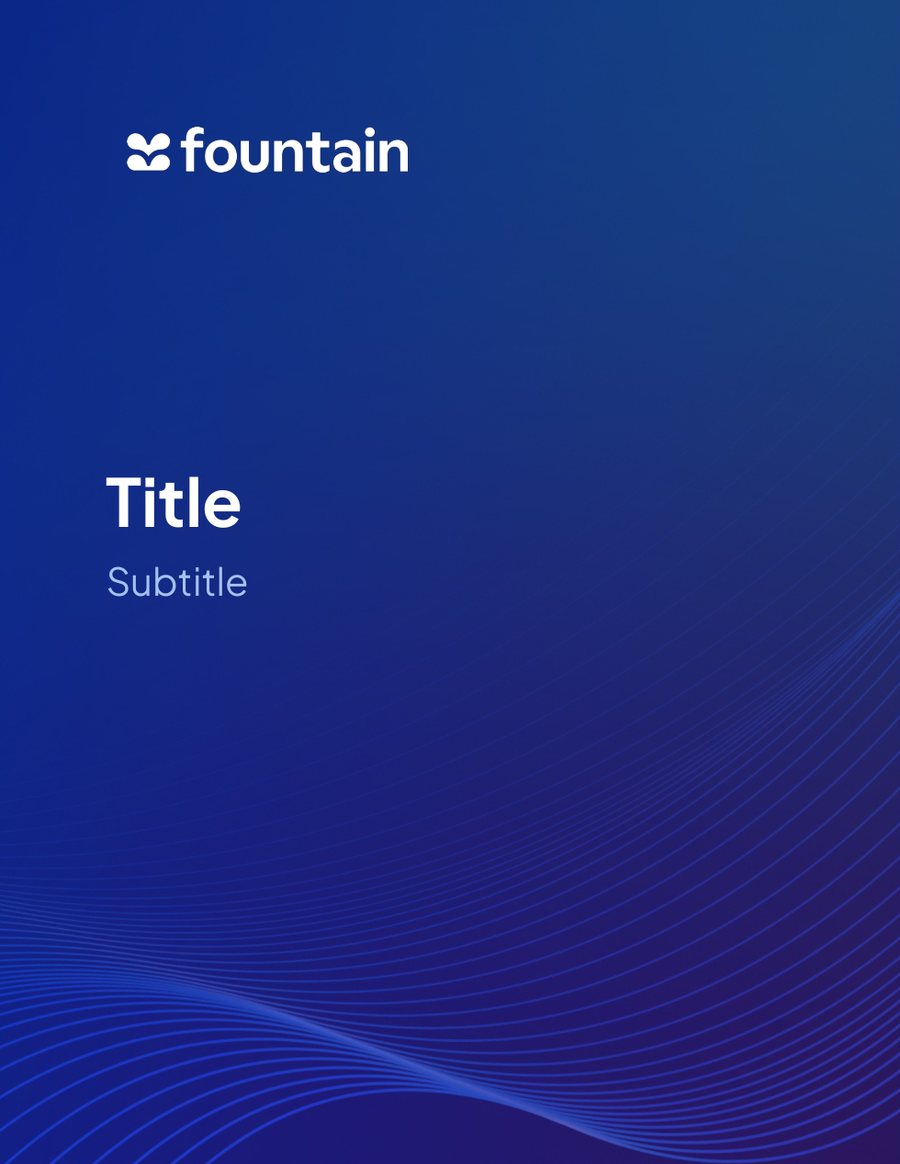
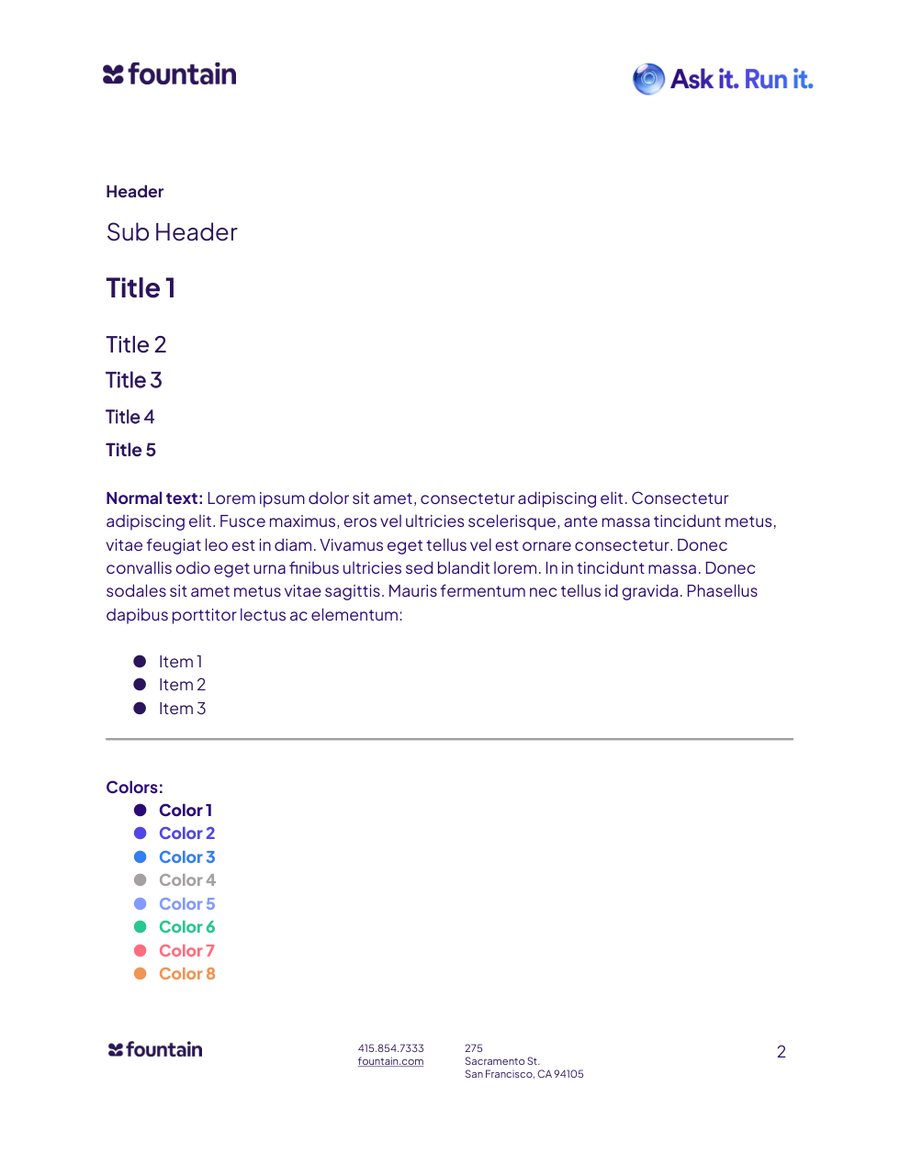
The page
| Page size | 8.50 × 11.00 in — US Letter portrait |
|---|---|
| Margins | 1.00 in top, left and right · 0.75 in bottom |
| Cover | Full bleed, ignores the margins. Deep blue gradient with the wave line motif; wordmark reversed out at top-left. |
| Typeface | Plus Jakarta Sans throughout, using the SemiBold, Medium and ExtraBold cuts. Note this is the one Fountain artefact already authored in Jakarta rather than CircularXX. |
| The file | fountain-word-template-cue.docx — 2.9 MB, ships with the site. |
The type ramp
| Style | Size | Cut | Colour | Word style menu |
|---|---|---|---|---|
| Title | 45 pt | Bold | #FFFFFF | direct run formatting |
| Subtitle | 26 pt | Regular | #A4C2F4 | direct run formatting |
| Header | — | Bold | #2B145B | direct run formatting |
| Sub Header | 16 pt | Regular | #2B145B | Subtitle |
| Title 1 | 18 pt | Bold · style default 17 pt SemiBold | #2B145B | Heading 1 |
| Title 2 | 15 pt | Medium | #2B145B | Heading 2 |
| Title 3 | 14 pt | Regular | #2B145B | Heading 3 |
| Title 4 | 12 pt | Regular | #2B145B | Heading 4 |
| Title 5 | 12 pt | Regular | #2B145B | Heading 5 |
Heading 1 is the one place the document and its own stylesheet disagree: the specimen paragraph is 18 pt bold, the style definition behind it is 17 pt SemiBold. A writer using the style menu gets 17.
Its palette does not match this system
Worth knowing before the template is used as a colour reference. Two of its eight swatches are a single hex digit away from a brand token — close enough that they were almost certainly eyedropped rather than copied, and far enough that a document and a web page put side by side will not match.
| In the .docx | Hex | Nearest token | Token hex | Verdict |
|---|---|---|---|---|
| Color 2 | #5046E6 | --brand-600 | #4F46E5 | off by one in red and blue |
| Color 3 | #3480EF | --blue-600 | #357FEF | off by one in red and green |
| Body / heading ink | #2B145B | --neutral-900 | #0F172A | a deep purple where the system uses slate |
| Color 1 | #2C0A76 | --brand-800 | #3730A3 | no equivalent |
| Colors 4–8 | #A6A1A1 #829AFF #27C78D #FE6D7F #EF9555 | — | — | a separate accent set |
The fix is a decision, not a patch: either the two
near-misses are corrected to the tokens and the accent set is folded into
tokens.css, or the document palette is declared deliberately separate
and documented as such. Left alone until someone chooses.
From sections to a document
The page sections in the component library are all authored on one
1440px artboard. scripts/compose.py drops any run of them into a sheet
and scales the artboard to the sheet width, so a block behaves identically on the web
page, in a one-pager and on a slide. Nothing inside a section has to change.
python3 scripts/compose.py --format letter \
    --sections 02 10 46 50 -o one-pager.html
A flowing US Letter document that breaks across pages.
Add --one-per-page to give every section its own sheet instead.
python3 scripts/compose.py --format slide \
    --sections 02 25 46 33 -o deck.html
One 16:9 slide per section, scroll-snapped on screen.
python3 scripts/compose.py --format flow \
    --sections 01 02 09 51 -o landing.html
A plain 1440 web page with the sections stacked — what the
Figma frame is. Sections can be named by number (02) or by slug
fragment (comparison). Output lands in templates/.
- The mechanism
- Section markup goes inside
.sheet__frame, which is 1440px wide and scaled withzoomrather thantransform: scale()— zoom reflows layout, so an auto-height sheet shrinks to its content and page breaks land where they should. - Printing
@pageis set to letter portrait at zero margin, sheets break after each other and shadows drop away. Print to PDF and the file is the deliverable.- On screen
<body class="deck">turns a slide document into a scroll-snapped deck, one slide at a time on a dark ground.- Worked examples
examples/example-one-pager.htmlandexamples/example-deck.html— the two previews below are renders of exactly those files.
Sheet geometry
| Sheet | Flag | Pixels | Scale | Section budget | Note |
|---|---|---|---|---|---|
| US Letter portrait | --format letter | 816 × 1056 | 0.567× | 1864 px | 8.5 × 11 in @ 96dpi |
| US Letter landscape | --format letter-landscape | 1056 × 816 | 0.733× | 1113 px | 11 × 8.5 in @ 96dpi |
| A4 portrait | --format a4 | 794 × 1123 | 0.551× | 2037 px | 210 × 297 mm @ 96dpi |
| 16:9 slide | --format slide | 1280 × 720 | 0.889× | 810 px | the deck canvas at 0.667× |
The section budget is the tallest a 1440-wide section can be before the sheet clips it. On a 16:9 slide that is 810px, and 36 of the 51 library sections fit. The 15 that overflow are 04, 08, 10, 11, 12, 13, 19, 20, 21, 22, 34, 43, 44, 45, 46 — put those on a letter or A4 page, or split them.
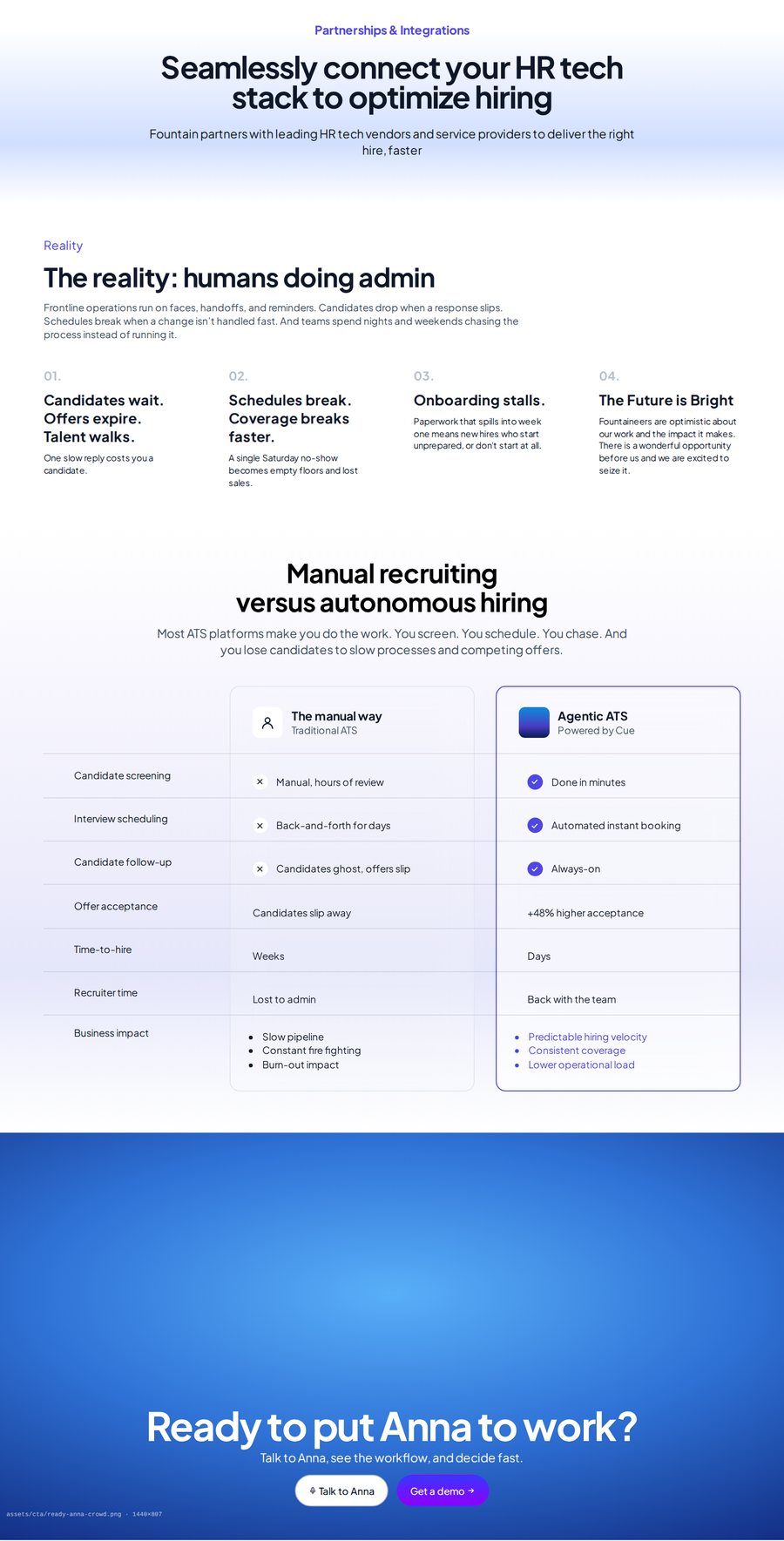
Four sections stacked in a single 816px column that grows to its content. Printing breaks it across pages; the sheet never clips.
A fixed 1280 × 720 sheet with the section scaled to 0.889×. Anything taller than 810px on the artboard is cut off at the bottom edge — the reason the budget column above exists.
Which typeface, by output
A hard rule, and the one most easily got wrong when an asset moves between tools.
| Output | Typeface | Why |
|---|---|---|
| Google Slides / Docs / Sheets | Plus Jakarta Sans | CircularXX is not licensed for Google’s servers. |
| Static raster — banners, social, print | CircularXX | Brand face; rasterisation stays inside the licence. |
| HTML, prototypes, product UI | CircularXX via @font-face |
Jakarta is an acceptable fallback only where embedding isn’t possible. |
| Mono — eyebrows, statlines | Andale Mono | No font file was ever supplied; JetBrains Mono stands in on the web. |
This site is in the third row and
takes the fallback: css/tokens.css self-hosts Plus Jakarta Sans as a
deliberate stand-in, so the library renders identically offline and in print. Swap the
@font-face block for the CircularXX .otf files to get a true
match.
Social cards & out-of-home
The campaign runs on one formula, in three beats. It is the same formula at every size — a feed card, a transit shelter, a wallscape and a billboard all tell the story the same way, and all of them land on the same two words.
The three-beat sequence
A frontline photograph. The “HR Superintelligence” eyebrow pill sits top-left; two short lines bottom-left name what broke and what didn’t — “A crew called out. The site didn’t slow.” A quiet “Learn how →” closes it.
No photograph — a blurred colour field pulled from the first card. Three or four clipped sentences list what Cue actually did, in order: “Immediately triggered. Opening published. Security requirement set. Workers screened.”
The same worker returns, circle-cropped into the card. Two lines resolve the story and the last one is the campaign line in bold — “A job opened up. He stepped in. Run it.”
The boards
Three stories run the formula: a crew called out on a construction site, two baristas called out mid-service, a weekend delivery surge. Each row is one story, each column is one beat, and the colour field of the middle card is sampled from the photograph beside it.
Portrait format, one worker, the same two-lines-plus-“Run it.” structure, with the Fountain logo under the copy. At this size the photograph takes the top two-thirds and the copy block sits in a colour field below it.
The landscape cut: photograph left, copy right, eyebrow above the headline, logo under it. Three lines maximum — situation, outcome, “Run it.” — because it has to read at speed.
Of everything on this page,
cue-launch-banner-1080is the only square asset that exists at a real export size. Any feed card that isn’t on the “Run it.” formula starts from this composition.The nine “Run it.” cards exist only inside the campaign boards. There is no per-card export, no artboard size, no live layout file — the boards are flat Figma crops, so the copy cannot be changed and a tenth story cannot be made without going back to Figma. Same for the out-of-home and billboard sheets: they are in-situ mock-ups, not the artwork placed in them.
Everything about the sequence on this page is read off the boards. Card dimensions are deliberately not stated, because the crop is the only evidence and it is not square enough to trust.